
影刀RPA 网页文件下载触发下载与等待作者林焱什么情况用什么自动化流程中需要从网页下载文件——导出报表、下载附件、批量获取文档。下载操作看起来简单但点击下载→等待下载完成→获取文件路径→重命名这一串步骤有很多坑。在影刀RPA里需要精确控制下载触发、等待完成、文件验证。适用场景批量下载报表、网页附件自动保存、文档批量获取、文件下载后自动重命名归档。怎么做基本下载流程拼多多店群自动化上架方案1. 【设置下载目录】→ 指定文件保存位置 2. 【点击元素】→ 下载按钮 3. 【等待文件出现】→ 等待下载目录中出现新文件 4. 【等待文件大小稳定】→ 确保下载完成 5. 【重命名文件】→ 给文件有意义的名字 6. 【移动文件】→ 归档到目标目录影刀RPA下载操作【设置变量】download_dir rC:\Downloads 【点击元素】→ 下载按钮 【等待文件出现】 目录download_dir 超时60秒 【等待】2秒确保文件写入完成 【执行Python代码】 # 检查下载是否完成文件大小稳定 import os, time download_dir yd_var[download_dir] 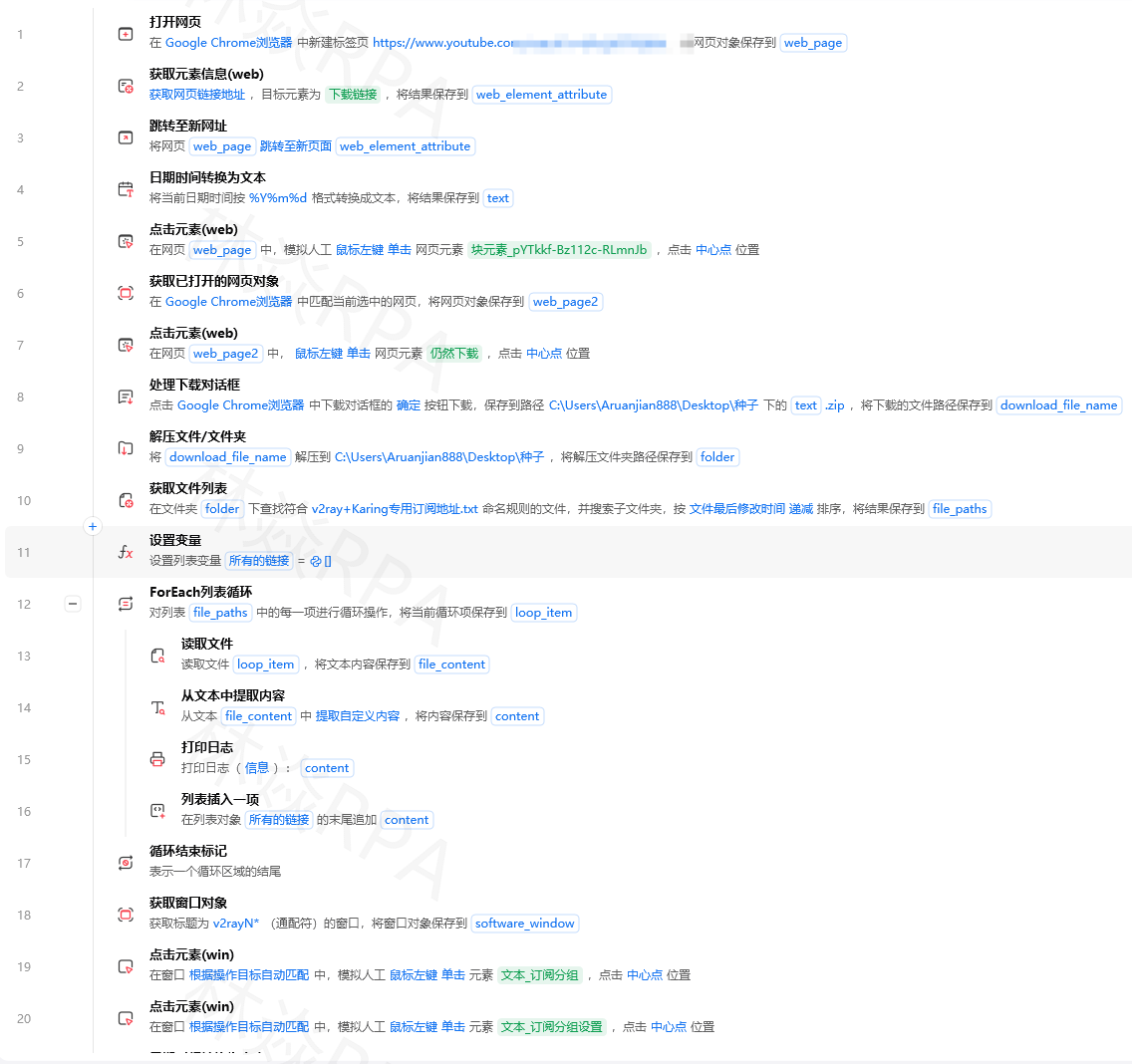 # 等待.crdownload临时文件消失 for _ in range(30): temp_files [f for f in os.listdir(download_dir) if f.endswith(.crdownload) or f.endswith(.part)] if not temp_files: break time.sleep(1) # 获取最新下载的文件 files sorted(os.listdir(download_dir), keylambda f: os.path.getmtime(os.path.join(download_dir, f)), reverseTrue) yd_var[downloaded_file] files[0] if files else 下载完成检测importosimporttimedefwait_for_download(download_dir,timeout120,check_interval1):等待下载完成# 记录开始前的文件列表existing_filesset(os.listdir(download_dir))ifos.path.exists(download_dir)elseset()start_timetime.time()whiletime.time()-start_timetimeout:current_filesset(os.listdir(download_dir))new_filescurrent_files-existing_files# 检查是否有下载中的临时文件downloading[fforfincurrent_filesiff.endswith(.crdownload)orf.endswith(.part)orf.endswith(.tmp)]ifnew_filesandnotdownloading:# 有新文件且无临时文件下载完成downloadedlist(new_files)# 取最新的downloaded.sort(keylambdaf:os.path.getmtime(os.path.join(download_dir,f)),reverseTrue)returnos.path.join(download_dir,downloaded[0])time.sleep(check_interval)raiseTimeoutError(f下载超时{timeout}秒)defwait_for_file_stable(filepath,timeout30,check_interval0.5):等待文件大小稳定确保写入完成prev_size-1stable_count0for_inrange(int(timeout/check_interval)):ifnotos.path.exists(filepath):time.sleep(check_interval)continuecurrent_sizeos.path.getsize(filepath)ifcurrent_sizeprev_sizeandcurrent_size0:stable_count1ifstable_count3:# 连续3次大小不变returnTrueelse:stable_count0prev_sizecurrent_size time.sleep(check_interval)returnFalse下载后自动重命名归档importshutilfromdatetimeimportdatetimedefrename_and_archive(download_path,name_template,archive_dir):下载后重命名并归档# 生成新文件名timestampdatetime.now().strftime(%Y%m%d_%H%M%S)extos.path.splitext(download_path)[1]# 保留原扩展名new_namename_template.format(timestamptimestamp)ext new_pathos.path.join(archive_dir,new_name)# 确保归档目录存在os.makedirs(archive_dir,exist_okTrue)# 移动文件shutil.move(download_path,new_path)returnnew_path# 使用downloadedwait_for_download(rC:\Downloads)final_pathrename_and_archive(download_pathdownloaded,name_template销售报表_{timestamp},archive_dirrC:\Reports\2026年7月)print(f文件已保存到:{final_path})批量下载defbatch_download(download_tasks,download_dir,archive_dir): 批量下载 download_tasks: [{url: 下载链接, name: 文件名}, ...] results[]fori,taskinenumerate(download_tasks,1):print(f[{i}/{len(download_tasks)}] 下载:{task[name]})try:# 方式1用requests直接下载适合直接URLfile_pathdownload_with_requests(task[url],download_dir,task[name])# 方式2在影刀中用浏览器点击下载按钮# 【点击元素】→ 下载按钮# 【等待下载完成】# file_path wait_for_download(download_dir)# 重命名归档iffile_path:final_pathrename_and_archive(file_path,task[name],archive_dir)results.append({name:task[name],path:final_path,status:成功})else:results.append({name:task[name],path:,status:下载失败})exceptExceptionase:results.append({name:task[name],path:,status:f错误:{e}})time.sleep(1)returnresultsdefdownload_with_requests(url,save_dir,filename):用requests下载文件importrequests headers{User-Agent:Mozilla/5.0...}responserequests.get(url,headersheaders,streamTrue,timeout30)ifresponse.status_code200:filepathos.path.join(save_dir,filename)withopen(filepath,wb)asf:forchunkinresponse.iter_content(chunk_size8192):f.write(chunk)returnfilepathreturnNone影刀RPA完整下载流程【设置变量】 download_dir rC:\Downloads archive_dir rC:\Reports\2026年7月 【循环】遍历下载任务列表 【设置变量】current_name 任务名称 【点击元素】→ 下载按钮每条记录对应的 【等待文件出现】 目录download_dir 超时60秒 【执行Python代码】 # 等待下载完成 filepath wait_for_download(yd_var[download_dir]) # 等待文件稳定 wait_for_file_stable(filepath)  # 重命名归档 import shutil ext os.path.splitext(filepath)[1] new_path os.path.join( yd_var[archive_dir], yd_var[current_name] ext ) shutil.move(filepath, new_path) yd_var[result] new_path 【等待】2秒 【结束循环】 【输出结果】有什么坑坑1下载文件名是随机字符串TEMU店群如何管理运营浏览器下载的文件名是a1b2c3d4.xlsx而不是销售报表.xlsx# 解决下载后重命名# 不要依赖浏览器下载的文件名# 用wait_for_download获取文件后立即重命名downloadedwait_for_download(download_dir)ifdownloaded:# 改成有意义的名字extos.path.splitext(downloaded)[1]new_pathos.path.join(download_dir,f报表_{timestamp}{ext})os.rename(downloaded,new_path)坑2下载弹出另存为对话框# 解决1影刀浏览器设置自动下载不弹对话框# 在浏览器设置中关闭下载前询问保存位置# 解决2用requests直接下载绕过浏览器# 适合有直接下载URL的情况# 解决3处理对话框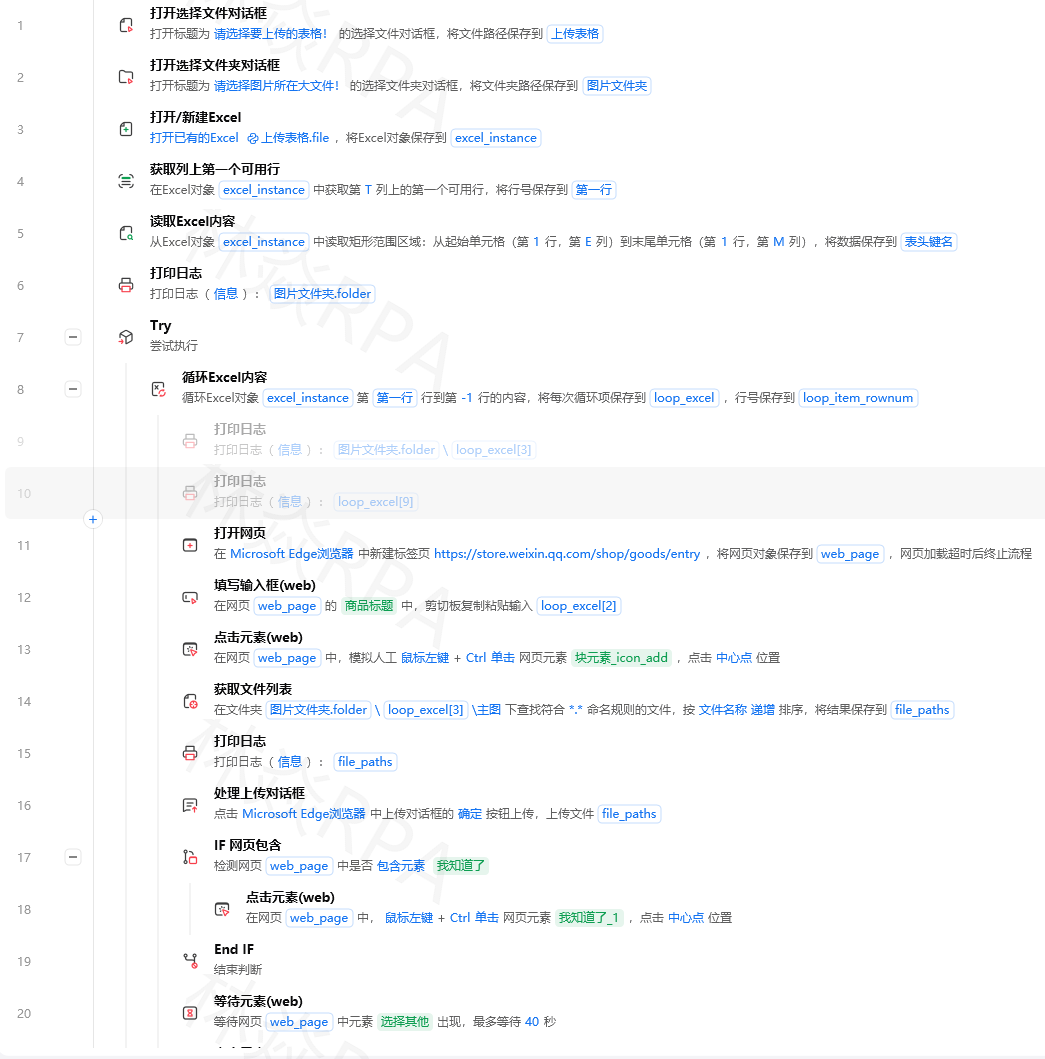# 影刀中# 【点击元素】→ 下载按钮# 【等待窗口出现】→ 另存为对话框# 【输入文本】→ 文件名输入框 → 文件名# 【点击元素】→ 保存按钮坑3同时下载多个文件冲突# 问题循环快速点击多个下载按钮文件混在一起分不清# 解决一次只下载一个等完成再下载下一个fortaskintasks:# 点击下载click_download_button(task)# 等待下载完成filepathwait_for_download(download_dir)wait_for_file_stable(filepath)# 立即重命名移走rename_and_move(filepath,task[name])# 再下载下一个time.sleep(1)坑4下载需要登录态# 问题用requests下载但需要登录Cookie# 解决用session带Cookie下载sessionrequests.Session()# 先登录session.post(login_url,datalogin_data)# 再下载responsesession.get(download_url,streamTrue)# 或者从影刀浏览器获取Cookie注入requests# 影刀中# 【获取浏览器Cookie】→ 保存到变量# 【执行Python代码】→ 把Cookie设到requests session坑5大文件下载超时# 问题50MB的文件30秒超时下载不完# 解决增加超时时间 流式下载 进度监控defdownload_large_file(url,filepath,timeout300):下载大文件responserequests.get(url,streamTrue,timeouttimeout)total_sizeint(response.headers.get(content-length,0))downloaded0withopen(filepath,wb)asf:forchunkinresponse.iter_content(chunk_size65536):# 64KB chunksf.write(chunk)downloadedlen(chunk)iftotal_size0:percentdownloaded*100/total_sizeprint(f\r下载进度:{percent:.1f}%,end,flushTrue)print(f\n下载完成:{filepath})returnfilepath


